From the first pitch to the audition and the booking. Bring your roster, casting relationships, projects, appointments and private self-tapes into one shared workspace—so the next step stays connected to the people you represent.
Made for talent agents, managers, and the teams behind them.
THE RIGHT PEOPLE.THE NEXT POSSIBILITY. ↗
Alex RiveraFilm & televisionSophie ChenFilm & televisionMarcus JamesCommercialAmara OkaforFilm & television
A little more possibility.One great introduction at a time.
Less assembling. More advocating.
Opportunity ↗ Pitch ↗ Audition ↗ Booking
SUBMISSIONS → PITCHES
The submissions are done. Your pitch is already started.
Less repeated copying. More useful context.
Bring your Breakdown Express submissions into Pitchmaker, review the roster matches, and create a draft with talent, roles and photos. Keep project and character breakdown information close while you write the pitch.
Use the Chrome extension from All Submissions in Breakdown Express, or paste the list.
02 / MATCH YOUR PEOPLE
Your roster does the work
Matching names connect automatically. Review any differences and save updated names for next time.
03 / MAKE IT PERSONAL
A draft. Ready for your touch.
Add your point of view, choose the recipients, and review before sending.
THE WHOLE AGENCY WORKFLOW
The pitch is a beginning. Keep the rest connected.
One opportunity. The right people. A clear next step for your team.
01 / PROJECTS & CASTING COVERAGE
Keep the opportunity in context.
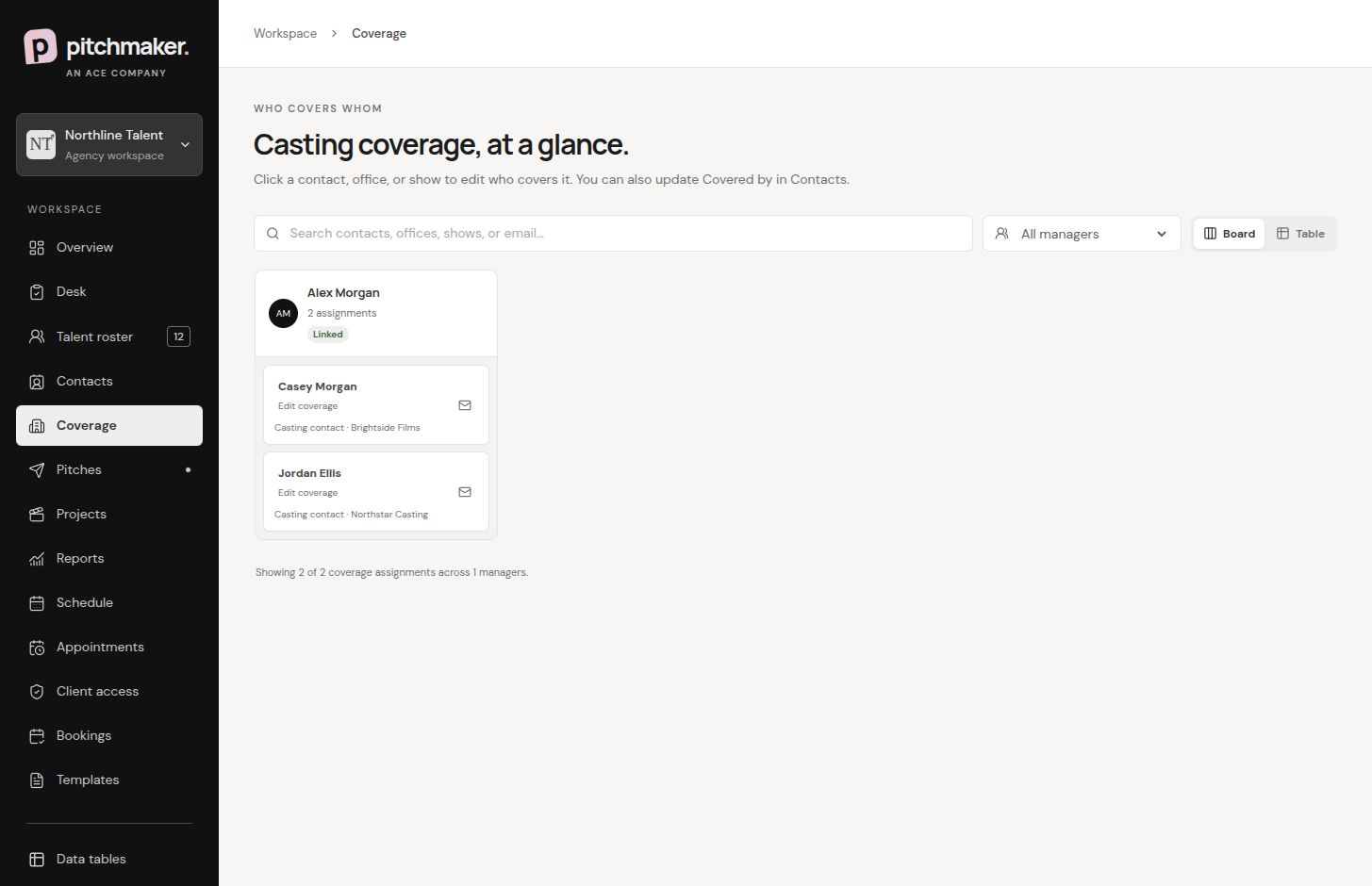
Keep projects, character breakdowns and casting relationships together. Assign coverage so your team knows who owns the next conversation.
Project and role context beside the pitch
Casting contacts with editable manager coverage
Submissions and follow-through linked to the opportunity
02 / ROSTER & PUBLIC REELS
Give every talent a strong introduction.
Build a working roster with headshots, credits, résumés, reels and linked contacts. Publish the talent pages you choose, with agency branding and a clip library.
Searchable staff roster and shared profiles
Public profiles with credits and multiple clips
Private details stay separate from public pages
03 / PITCHING & FOLLOW-UP
Make the pitch personal.
Match talent to characters, reference the breakdown and write the case for each person. Review the preview and recipients, then send through your connected mailbox.
Multi-talent pitches and reusable templates
Your agency branding and mailbox signature
Shared pitch history and follow-up work
04 / APPOINTMENTS & MATERIALS
Turn the invitation into a clear next step.
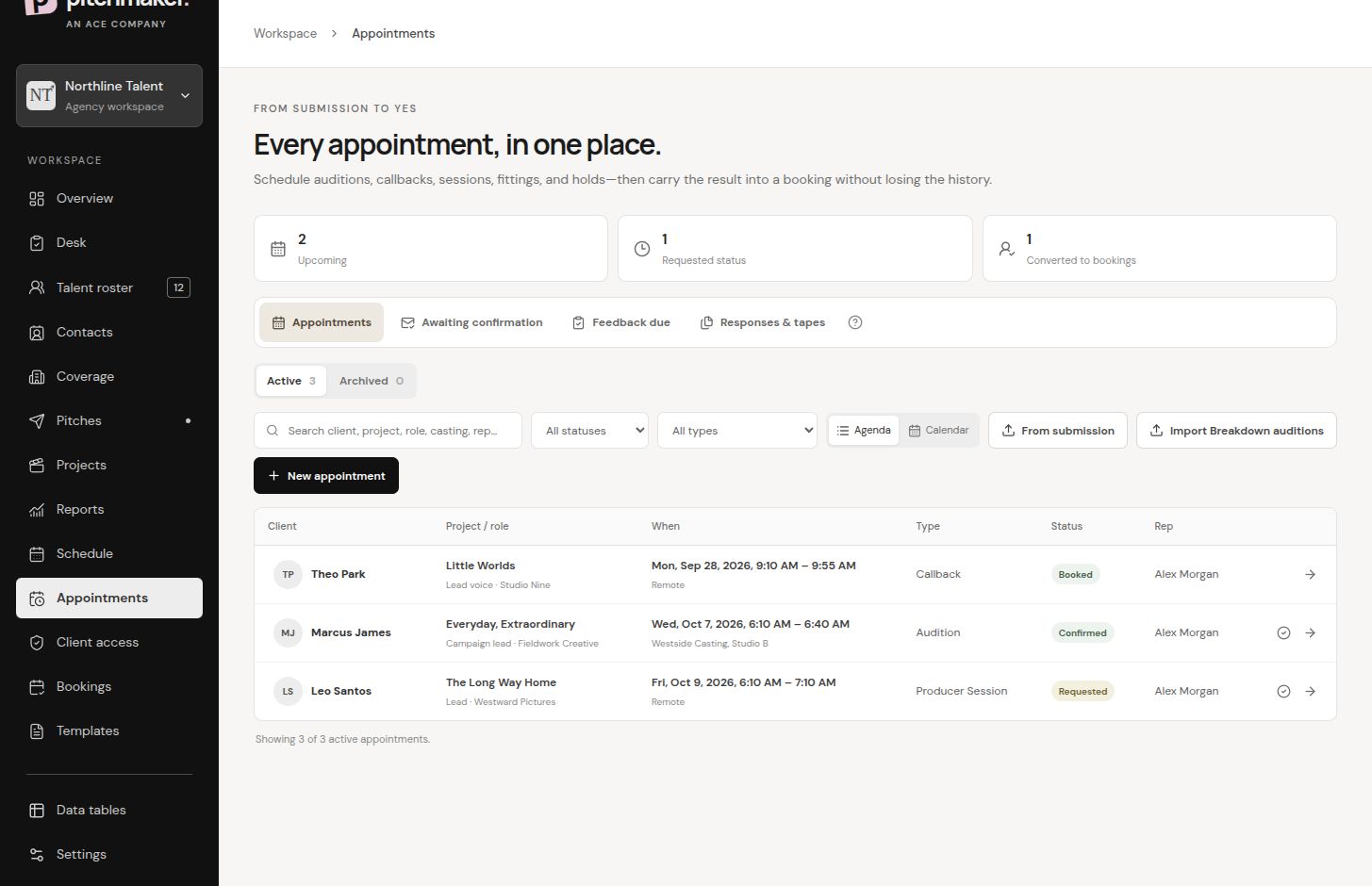
Keep the appointment, deadline, character breakdown and audition materials with the same project and talent. Review the client email and CC list before you send.
Self-tape, in-person and other appointment types
Selected scanner-cleared sides shared with the email
A private link for talent to confirm and upload
05 / PRIVATE SELF-TAPES & REVISIONS
Let talent upload. Give managers room to review.
Talent upload their own clips from the private appointment link. Managers watch the submitted version, record feedback and request a revision when it is needed.
Version history keeps earlier submissions in context
Revision feedback stays visible during replacement uploads
Approval is separate from the manual casting handoff
06 / BOOKINGS & TEAM FOLLOW-THROUGH
Keep the outcome with the opportunity.
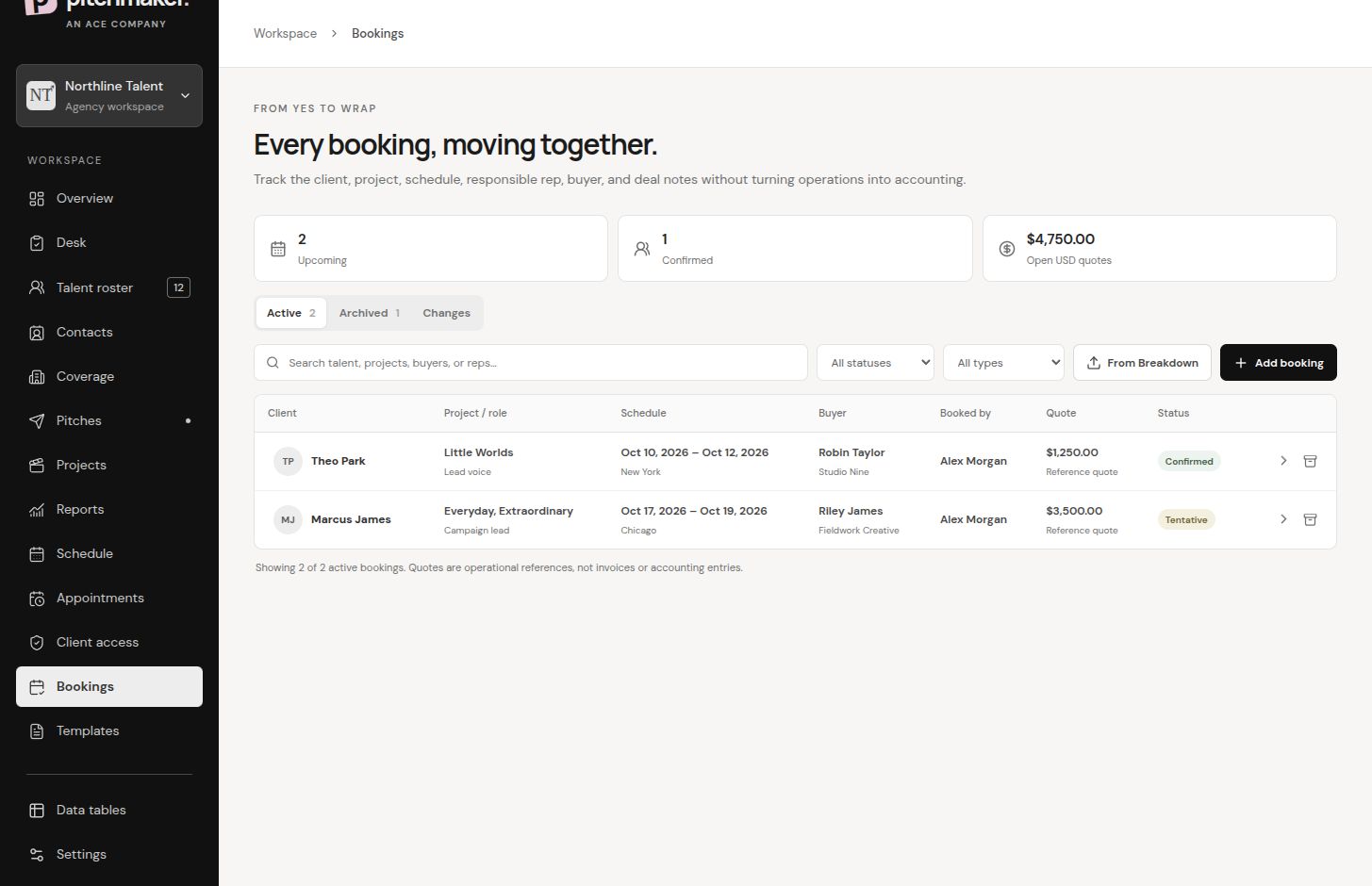
Record the booking and its relationship to the talent, project and appointment. Keep the next task visible without losing the history of how the opportunity got here.
Linked booking records and appointment context
Shared desk for tasks and follow-through
Final delivery to casting stays with your team
A LOOK INSIDE PITCHMAKER
Built around the way you represent people.
A real look at our fictional demo agency, Roroco, LLC.
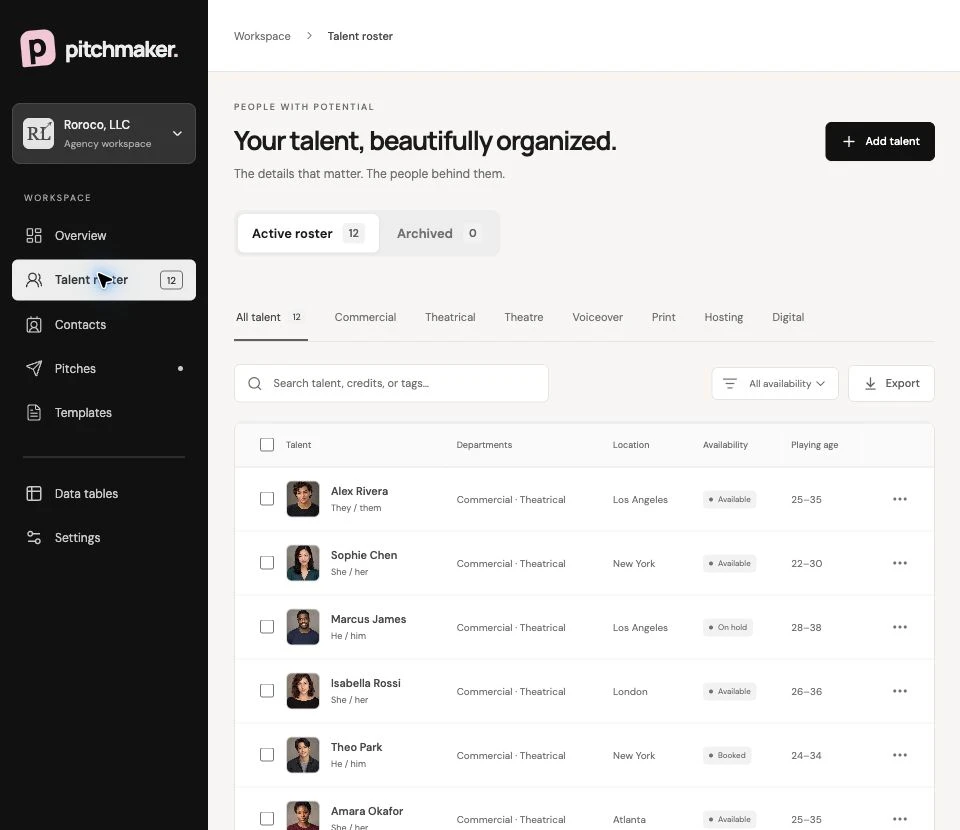
01 — THE ROSTER
Know your talent. Show their work.
Find the right person in your working roster. Give them a public profile when you choose, with a résumé, credits and a library of demo clips under your agency’s branding.
Multiple headshots and a primary-photo picker
Résumés, credits and public demo-reel pages
Linked contacts and appointment CC defaults
Roroco, LLC / Talent roster
Every person. The details that matter.
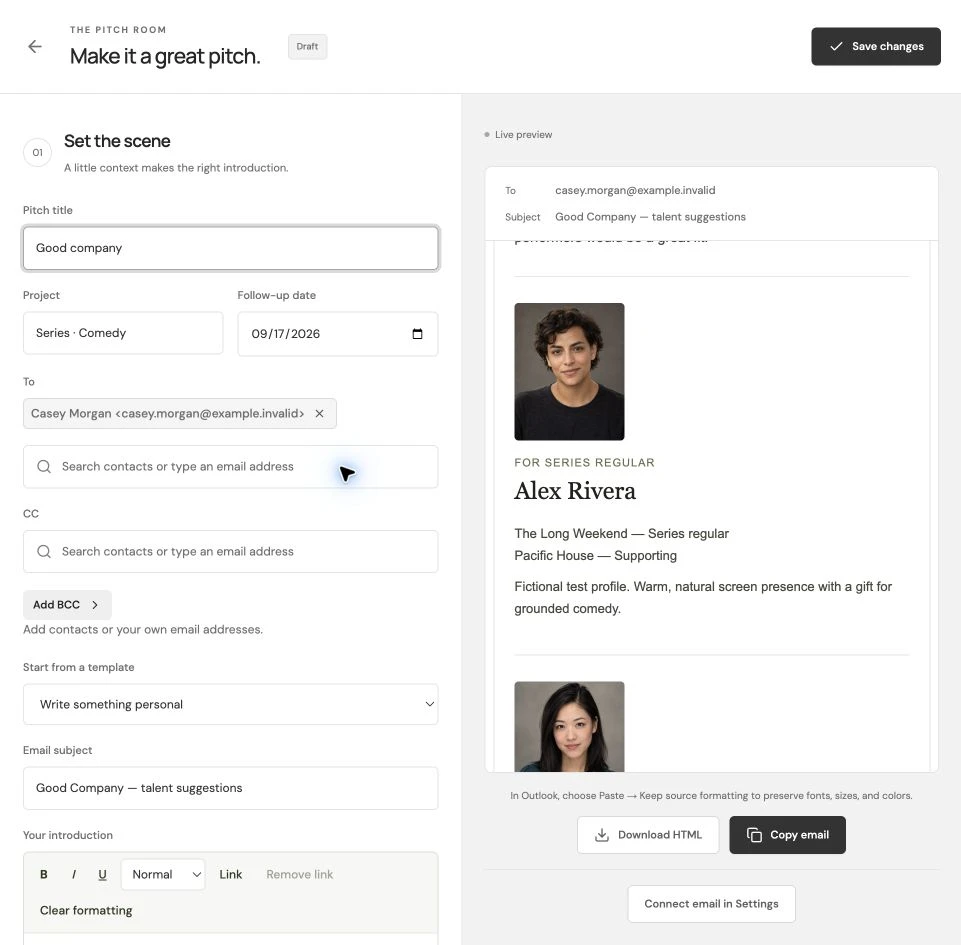
02 — THE PITCH ROOM
Make the case. Make it yours.
Your pitch should feel like you. Choose the people and photos, add roles and personal notes, and see the email take shape as you work.
A live preview before you send
Reusable templates and rich-text introductions
Agency branding and default CC recipients
Roroco, LLC / The pitch room
A little context makes the right introduction.
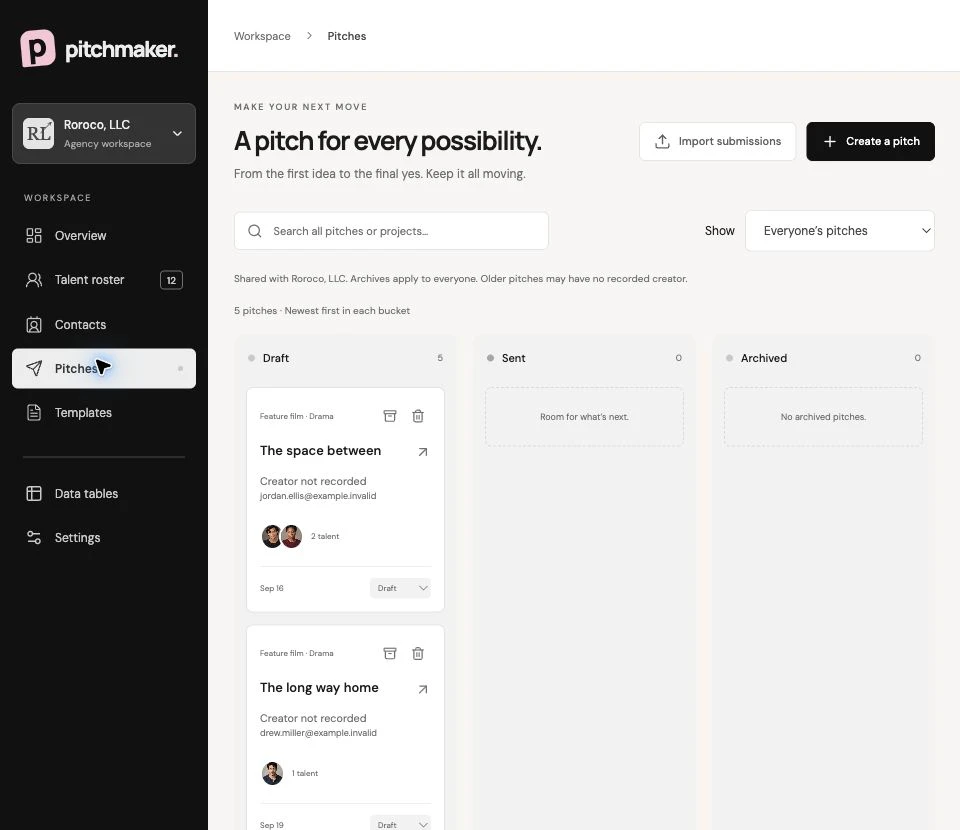
03 — THE BIG PICTURE
Keep the conversation moving.
Draft. Sent. Archived. A shared pitch history, connected to project context and your team’s next task.
Roroco, LLC / Pitches
A BETTER WAY TO BRING IN SELF-TAPES
Send the appointment. Talent take it from there.
Send a reviewed appointment email with a private link and selected audition materials. Talent confirm, upload their clips and submit a version. Your team reviews the work—not a pile of file-transfer emails.
Deadline, character breakdown and the selected scanner-cleared sides, together.
02
Upload & submit
Talent upload their own clips and submit the version for manager review.
03
Review & revise
Watch the tapes, record a decision and send exact revision feedback when needed.
04
Manual casting handoff
Approval does not send a tape to casting. Your team handles that final step.
MORE OF THE WORKSPACE
See the next steps in the same place.
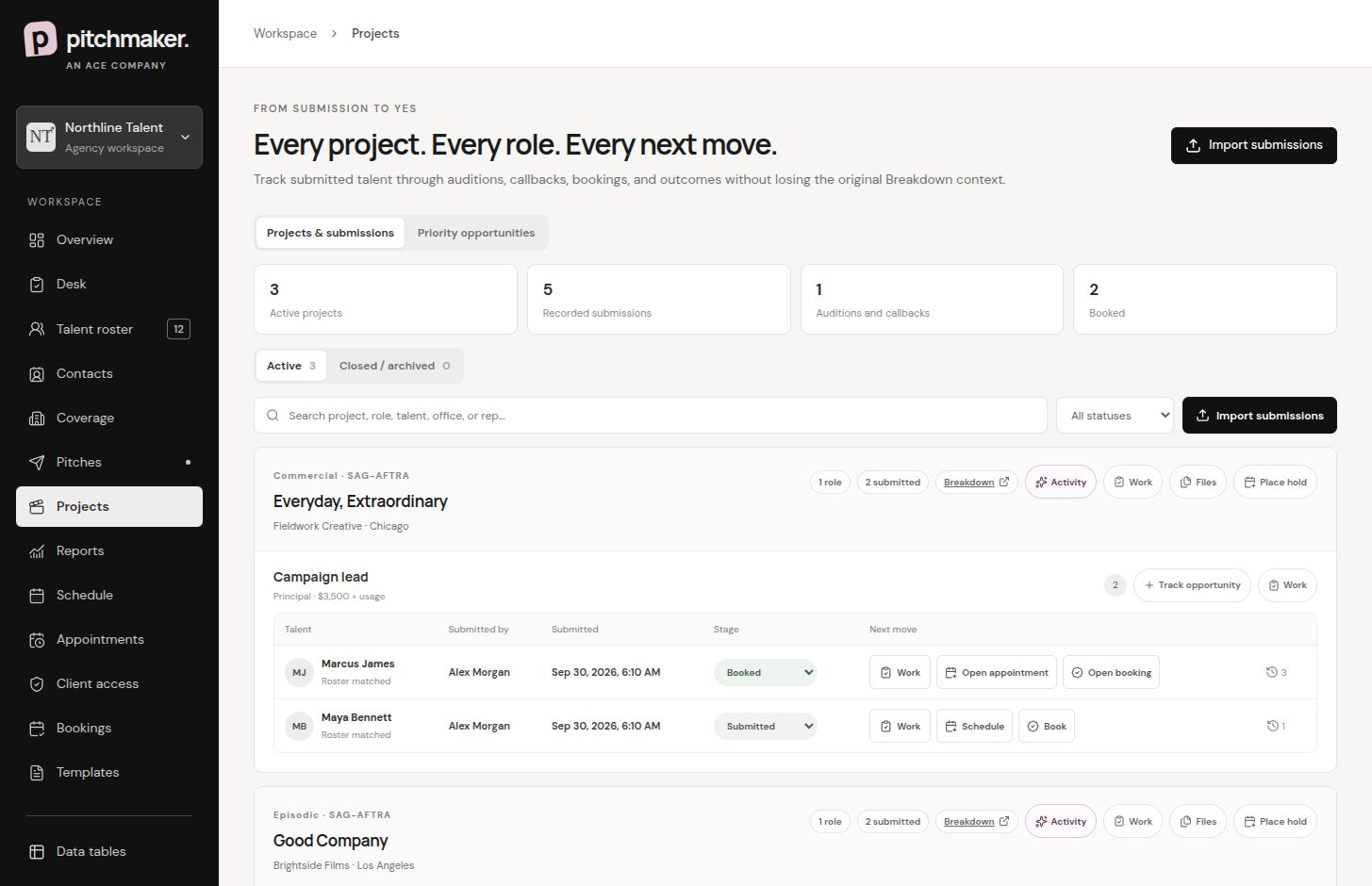
Demo workspaces — fictional data. These views show the Northline Talent demo; the roster and pitch examples above show Roroco, LLC.
Northline Talent demo / Projects & character breakdowns
Northline Talent demo · Keep the project, characters and submissions together.
Northline Talent demo / Casting coverage
Northline Talent demo · See who covers each casting relationship.
Northline Talent demo / Appointments
Northline Talent demo · Find the talent, project, deadline and next action.
Northline Talent demo / Booking records
Northline Talent demo · Keep the outcome connected to the opportunity.
FITS INTO YOUR DAY
Your mailbox. Your relationships.
Send through a connected Gmail or Outlook account. Bring submissions in from Breakdown Express with the Chrome extension. Keep your team together in an invitation-only agency workspace.
GGmailEmail, from you
OutlookYour connected mailbox
Breakdown ExpressSubmissions to drafts
LESS ADMIN. MORE TIME FOR YOUR PEOPLE.
A clearer workflow. A considered use of AI.
Start with the records and the decisions your team owns. Our practical guide connects projects, coverage, pitches, appointments and tapes—and explains where reviewed writing suggestions can help.
Pitchmaker is talent agency workflow software for managers, agents and their teams. It connects rosters, casting coverage, projects, pitches, appointments, private self-tapes and booking records in one shared workspace.
Can I pitch more than one person?
Yes. Add multiple talent to a pitch, assign characters, choose photos and include a personal note for each selection. Review the final email and recipients before sending.
Can talent upload their own audition tapes?
Yes. Send the appointment with a private link so talent can confirm and upload their clips themselves. Managers review the submitted version and can request changes with feedback.
Does Pitchmaker submit tapes to casting automatically?
No. Manager review and approval are separate from casting delivery. Your team handles the final submission to casting manually and can record the handoff in Pitchmaker.
Are private audition tapes published on public talent pages?
No. Private appointment uploads and public demo-reel pages are separate workflows. Your agency chooses the profile information and media to publish publicly.
How does my team get workspace access?
Ask your workspace admin for an invitation. Invited members share the agency workspace according to their assigned role. A Google or Microsoft login alone does not grant agency access.